Productivity Tools
Beyond our 550+ Excel functions, Petroleum Office includes powerful tools to streamline your everyday engineering workflows.
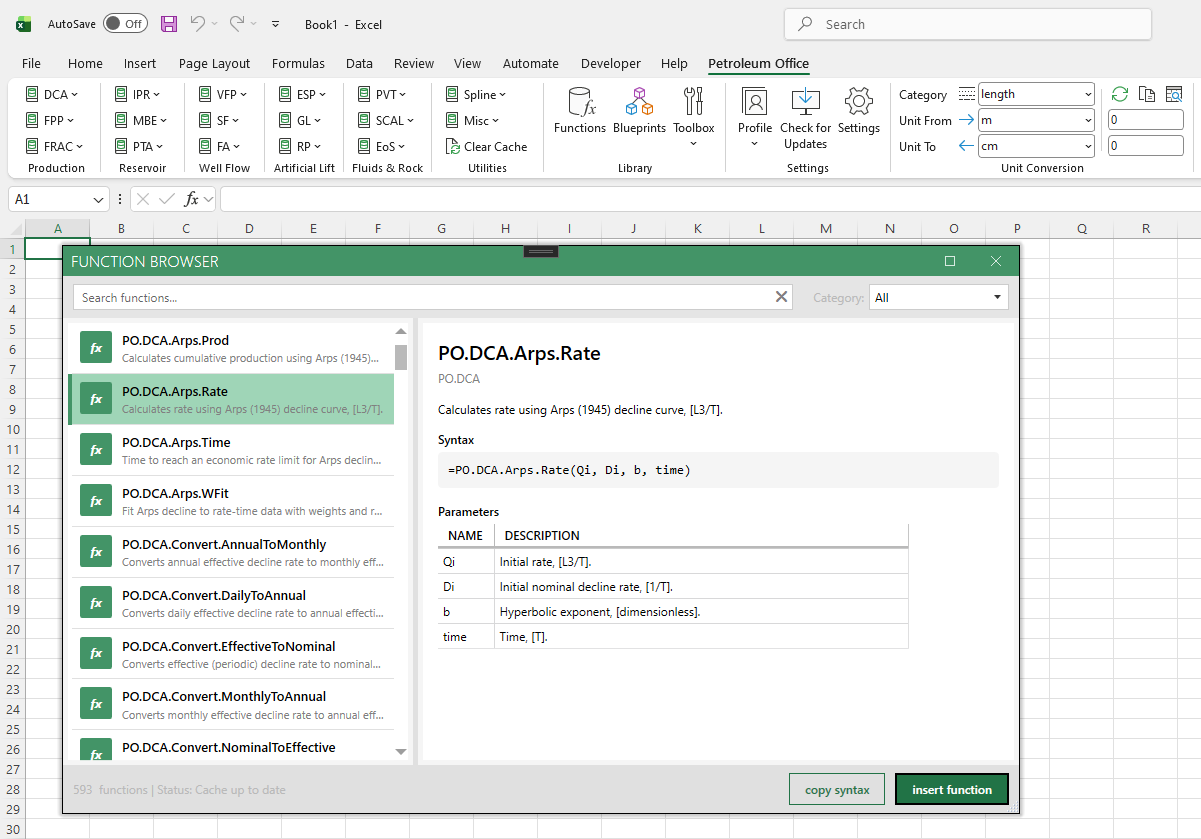
Function Browser
Browse and search petroleum engineering Excel functions by category
Search across all Petroleum Office functions by name, keyword, or category.
Hierarchical category tree organizes functions into PVT, DCA, VFP, IPR, MBE, and more.
Full documentation for each function with syntax, parameters, and related blueprints.
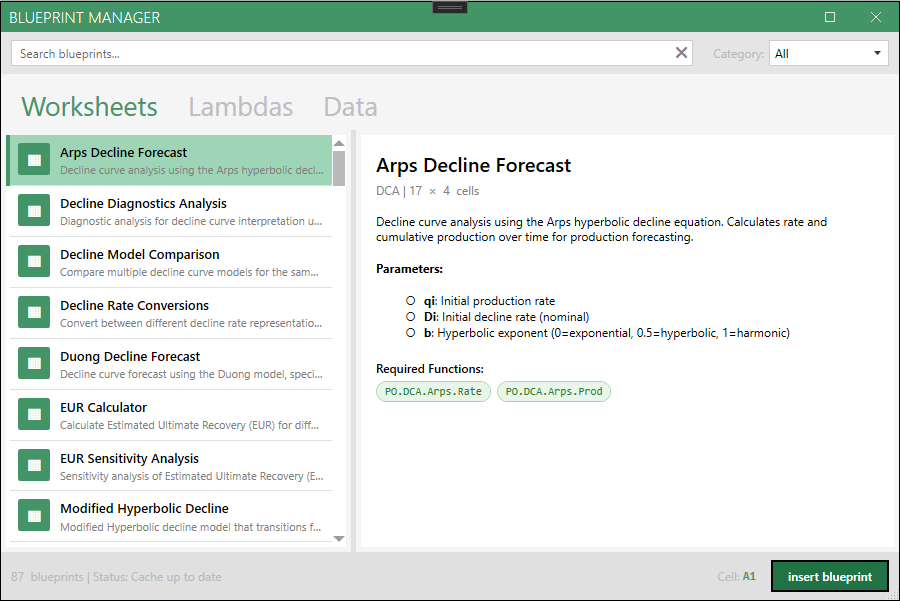
Blueprint Manager
Ready-to-use Excel calculation templates for petroleum engineering
Browse professionally designed calculation templates organized by topic.
Preview blueprints before installing — see what you get before adding to your workbook.
One-click install inserts a complete worksheet with formulas, formatting, and documentation.
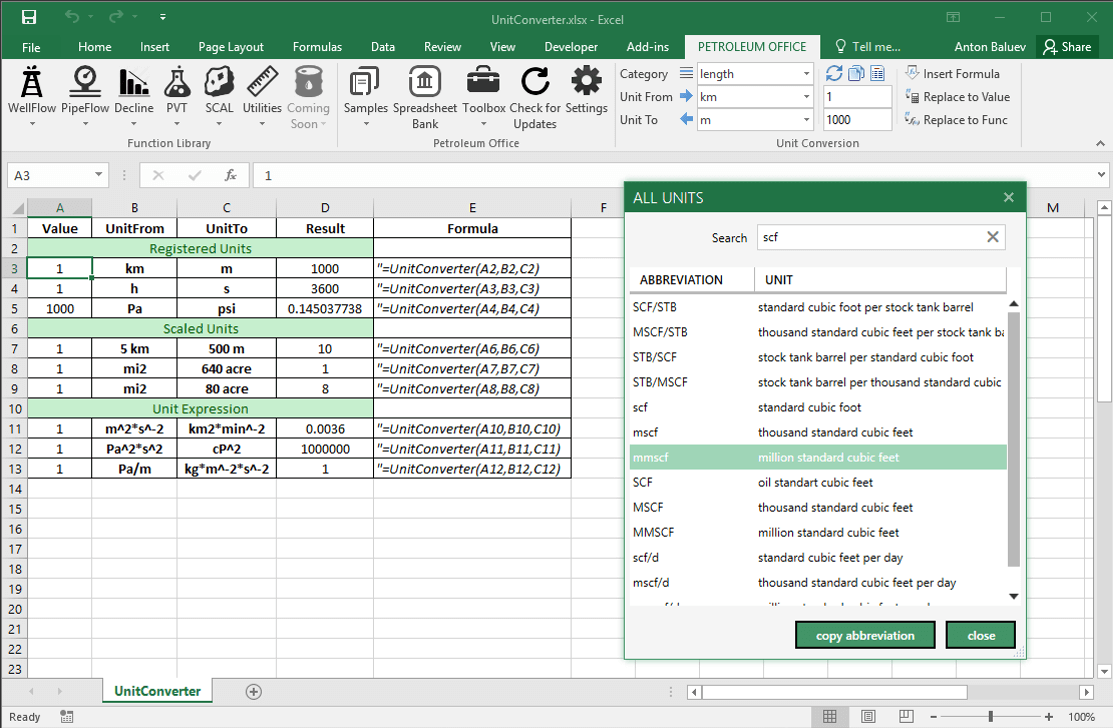
Unit Converter
Convert between petroleum engineering units instantly
Quick conversions from the ribbon for common categories like length, pressure, volume, and flow rates.
Support for custom unit expressions (e.g., bbl*psi/day) and scaled units (e.g., 640 acre).
All registered units searchable and ready to use in your spreadsheets.
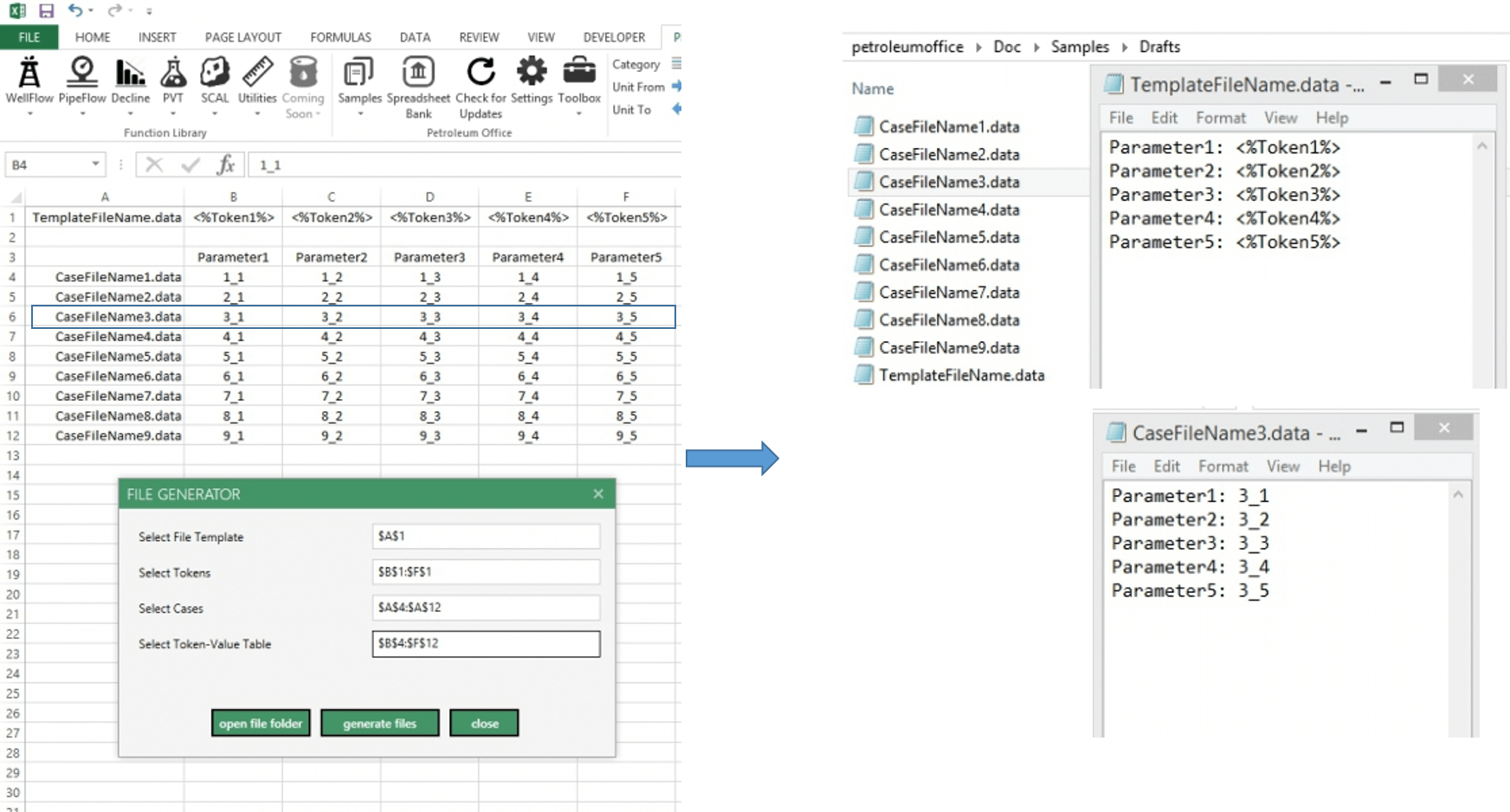
File Generator
Batch-create input files from Excel templates
Define tokens in your template files and map them to cases and parameters in an Excel table.
Generate hundreds of scenario files in seconds - perfect for sensitivity analysis and history matching.
Keep all your simulation run summaries organized in one place while automating file creation.
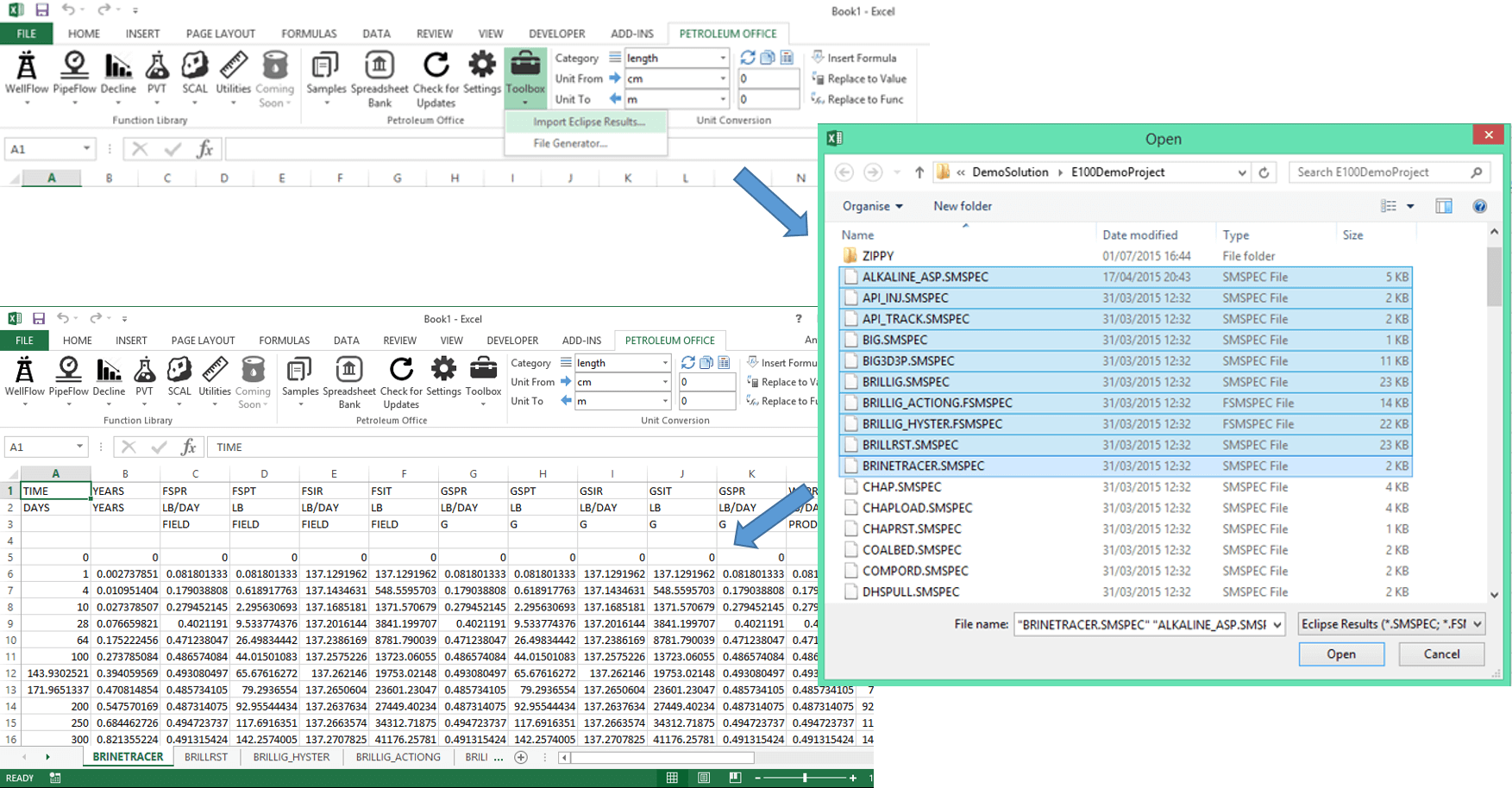
Eclipse Results Import
Load simulator output directly into Excel
Import .SMSPEC and .FSMSPEC files from ECLIPSE reservoir simulator directly into Excel.
Each case becomes a separate worksheet with all data vectors organized in columns.
Ready for analysis immediately - no manual data formatting required.